PIM Bigcommerce – Sage Accounting integration
1. Introduction
Product Information Management (PIM) Bigcommerce – Sage Accounting integration is devoted to managing the data synchronization between Sage Accounting and Bigcommerce from four aspects, which are products, pricelists, stocks, and invoices (PCSI). PIM Bigcommerce – Sage Accounting integration is a backend software which allow customer using Sage Accounting as source data platform to control the products, price lists and stocks in Bigcommerce. The stocks are always dynamically changed based on Sage Accounting. Any sales orders created in Bigcommerce will automatically populate to Sage Accounting and create invoice in Sage Accounting.
2. PCSI
PCSI is the abbreviation of products, price lists, contact, stocks, and invoices. PIM synchronization mainly focuses on PCSI synchronization.
A. Products
PIM fetches products information which is “Item” in Sage Accounting. Multiple fields will be fetched like product name, SKU, price, description, etc. The product information then will be compared to the information in Bigcommerce, if it is already existed, PIM will update it. If the product is not existed, PIM will create a new product in Bigcommerce. (Product image is not available since Sage Accounting does not allow people get image data/permanent image URL through their API)
B. Contact
When customers place order in Bigcommerce, PIM can get the sales order information and customer information. For achieving auto populating invoice, PIM also offers auto update and insert customer information. The update or create option is based on whether the client’s email can be found in Sage Accounting.
C. Stocks
Except the product information, PIM is also able to get the item and do the stock synchronization. To make sure the stock is synchronized successfully, PIM has three different plans for stock synchronization, which is time scheduled synchronization, one-way real-time synchronization, and two-way real-time synchronization. Two-way synchronization is only available for clients who have at least professional plan on Sage Accounting side.
B. Invoices
To reduce the work of create invoice manually on Sage Accounting side when sales order placed on Bigcommerce, PIM handles automatically populate invoice from Bigcommerce to Sage Accounting.


3. Synchronization Method in PIM
PIM Bigcommerce – Sage Accounting integration system currently only have time scheduled synchronization:
A. Time Scheduled Synchronization
Time scheduled synchronization aim to reduce the frequency of data update and synchronized between Bigcommerce and Sage Accounting, since for both Bigcommerce and Sage Accounting, they do have API call limits per day (the limits based on the plan that client bought). To avoid reach the API limits leading update and synchronized failure, time scheduled synchronization can be set check certain or all data in a certain period like once per day based on client’s needs. For those data not required high real-time performance like product description, time scheduled synchronization is recommended. Also, for avoiding data mismatch, time scheduled synchronization also can be used to check and do the fully synchronization once per day to maintenance the data consistency. For all PPSI synchronization, PIM Bigcommerce – Sage Accounting integration system offers fully management time scheduled synchronization.
DEMO
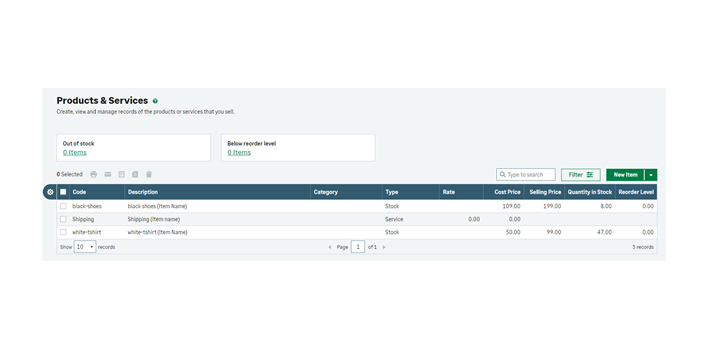
Image 4.1 All Items in Sage Accounting
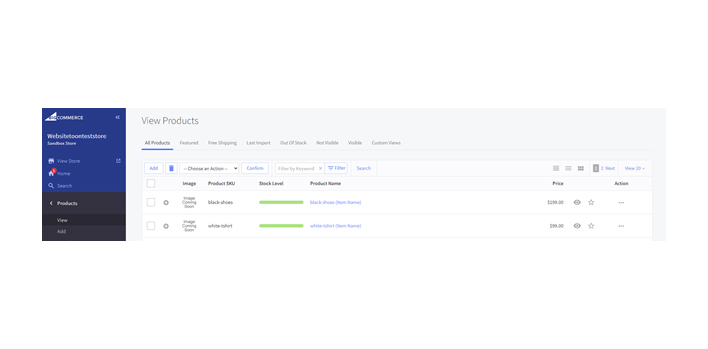
Image 4.2 All Items in Bigcommerce
Image 4.2 shows the demo Bigcommerce website’s backend, for those items is not list in Sage Accounting, instead of deleting these items, PIM will change the status of these items as invisible. In this way, you still can manage these items, but it will not be able to be seen for customers.
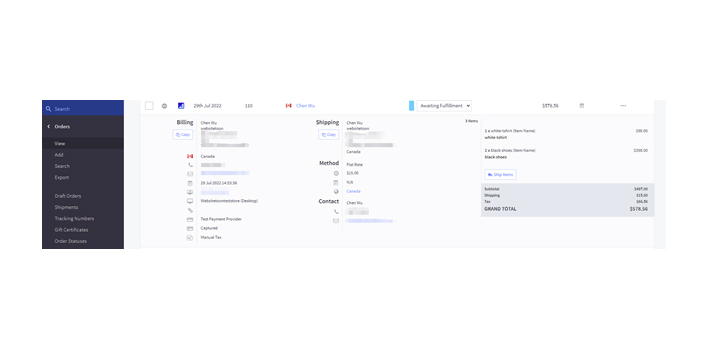
Image 4.3 Bigcommerce Sales Order
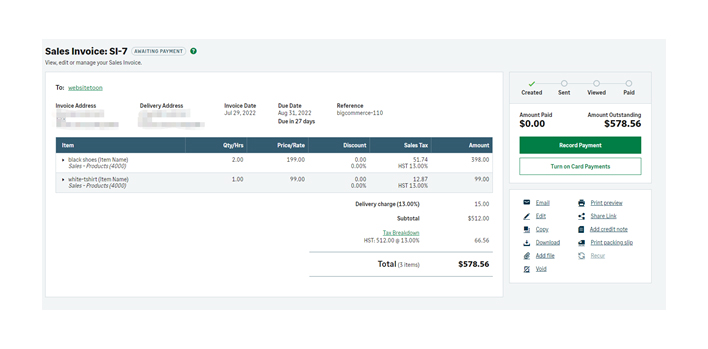
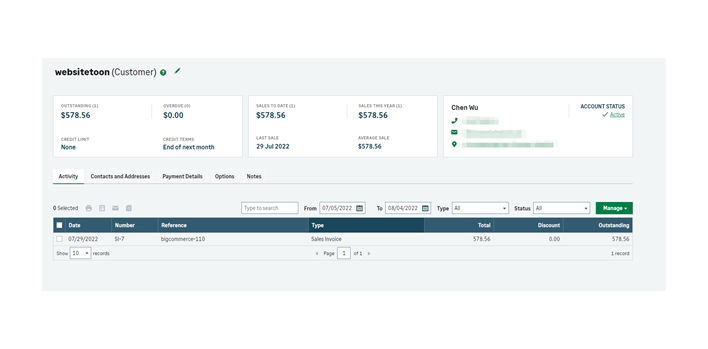
Image 4.4 Sage Accounting Invoice